
00:00 What's inside
Built for people who actually listen.
Podscape isn't trying to reinvent podcasts — just give them the layer they've been missing. Every claim on this page is something the app does today.
02:14 Live transcripts
A transcript for every episode.
Podscape produces a clean, readable transcript on first play and syncs it line by line with the audio. Lose your place, look up a quote, or jump to a moment by reading instead of scrubbing.
- Produced automatically on first play, then cached and instant
- The line being spoken is highlighted and stays in view
- Tap any line to seek straight to that second

08:41 Episode insights
Know an episode before you press play.
Podscape reads the transcript and gives back six things. Every row is timestamped, and tapping one seeks the audio there.
Audio only. YouTube videos play in Podscape, but there is no audio file behind them to transcribe, so they do not get insights.
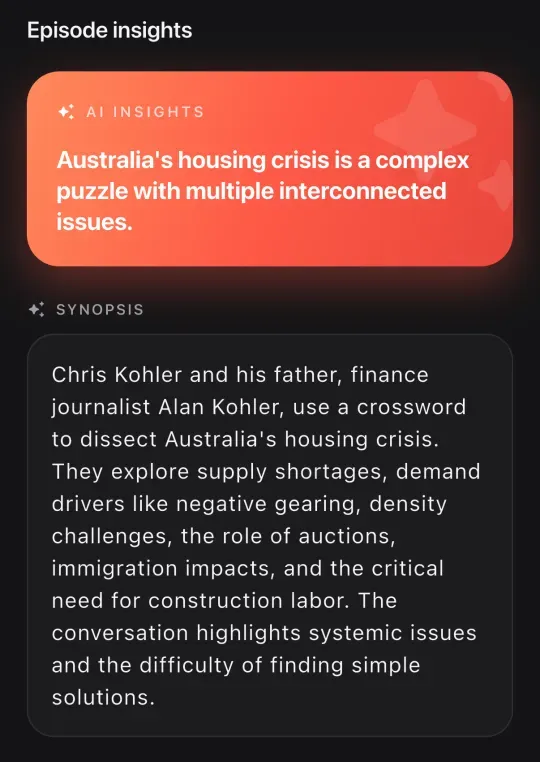
Synopsis
Two or three sentences on what actually happens — not that a discussion occurred.
Key takeaways
Three to six claims, each with the number, name or mechanism that backs it up.
Chapters
Titled, timestamped, and drawn as segments on the scrubber. Tap one to jump.
Mentions
The books, people, companies and products that came up, each tied to the second it was said.
Sponsors
Ad reads are detected and labelled with the offer and code, so you can decide what to listen to.
Now mentioning
A live chip in the player showing what is being discussed right now.
14:22 Save the moment
Bookmarks for the parts that matter.
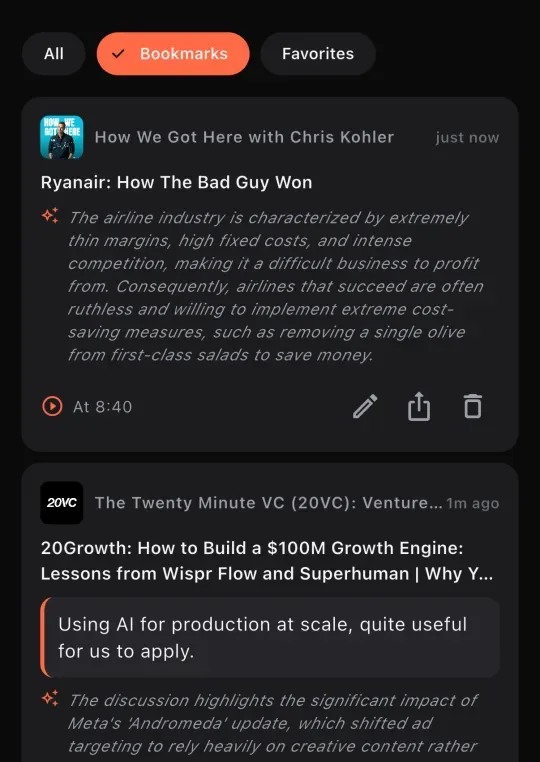
When something hits, tap once. Podscape captures the timestamp, the line and the show, writes a short summary of what was being said, and files it in a library that spans every podcast you listen to.
- One-tap bookmark during playback, with an optional note of your own
- Every saved moment gets an AI summary of the surrounding conversation
- Favourite whole episodes with the heart, filter by All, Bookmarks or Favorites
- Share a moment and the recipient opens the episode at that exact second
- Saved moments appear as markers on the scrubber next time you play
21:07 Offline
Yours when the signal isn't.
Downloads bring the transcript and the AI analysis with them, so a saved episode works completely offline — not just the audio, the whole thing.
- Transcript and insights cached alongside the audio file
- Auto-download new episodes from shows you follow, on Wi-Fi only if you prefer
- A storage cap, and auto-delete for played episodes after a day, a week or a month
- Notes, bookmarks and playlists all work offline and sync when you reconnect
27:35 Library and discovery
The shows you already follow are already here.
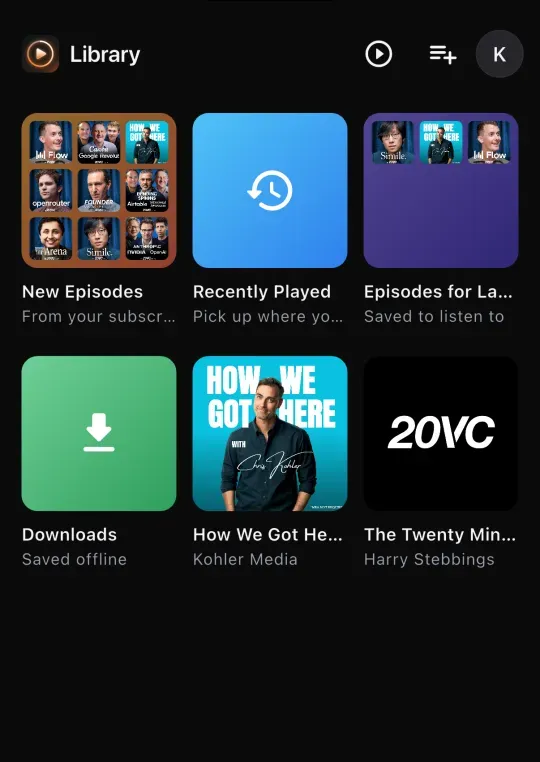
Podscape plays every show with a public RSS feed, so there is nothing to migrate. Anything we somehow don't carry, you can add by pasting a link.
Import any show by link
Paste an RSS feed, a show page, or a YouTube channel or playlist. We work out the rest.
Playlists
Build your own running orders. Create, reorder and read them offline.
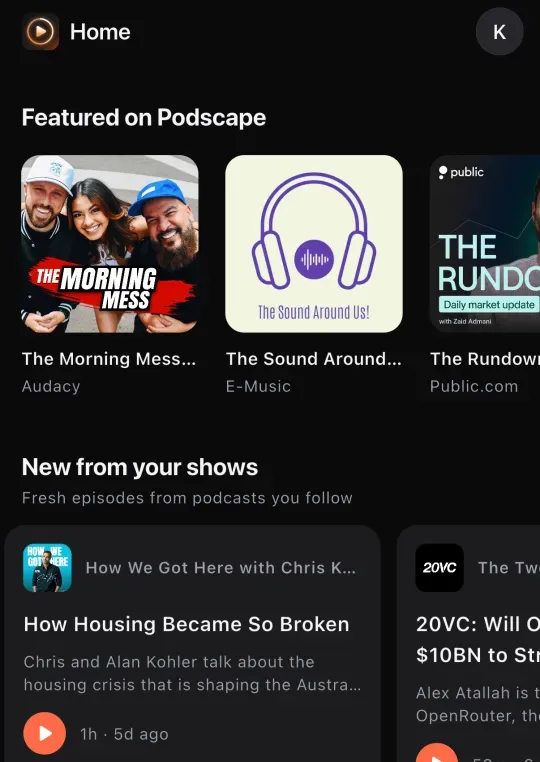
Browse 20+ topics
Pick what you care about and the home feed shapes itself around it.
Search shows, episodes and hosts
Across the whole public podcast index, plus anything you have imported.
Told when it lands
Real time or a single daily digest — your call, and you can mute any show.
Listening stats
Minutes, day streaks, episodes completed, your top shows and topics, and a recap card you can share.
41:03 Playback
A proper player. Nothing extra.
Speed without the chipmunk
0.8× to 2.0×, pitch corrected.
Skips you choose
Back 15 and forward 30 out of the box, settable to anything from 10 to 60 seconds.
Sleep timer
Including "end of episode", so you never wake up three shows deep.
Skip silence
Trims the dead air out of a slow conversation.
Rewind on resume
Backs up a few seconds when you come back, so you catch the thread again.
Up Next
A reorderable queue, mirrored to your lock screen and media controls.
Background and lock screen
Full controls without opening the app. Android Auto on the road.
Your place, everywhere
Progress syncs across your devices — start on a walk, finish on the sofa.
58:44 Free to download
Try it on your next walk.
Free to download, no ads, and it works with every podcast you already follow.
Coming to iOS and Android. One email when it lands — nothing else, ever.